Editing your gift site
Gifting demand changes throughout the year, with guests looking for different experiences and reasons to purchase – depending on the occasion, whether it’s Black Friday, Christmas or Valentine’s Day – to name a few.
By updating your gift site to align with what people are actively shopping for, you can create a more relevant experience for them – thereby increasing conversion rates, and maximising revenue from gift purchasers.
And the good news is changing your gift site can be done with just a few clicks in the Gift App and the updates are instant!

Make your offer stand out!
You can make all the changes below by logging into the Gift App and then going to ‘Manage My Site’ button or ‘Content’ in the main menu, provided you have ‘Site Editor’ access.
If you don’t have this access, but would like it, please get in touch. We recommend limiting this permissions to a small number of marketing team members to maintain consistency and control, but additional access can be arranged if needed.
Image carousel
Image, headline, copy, countdown timer and ‘call to action’ button
Listing heading
Amend your heading and subheading beneath the image carousel
Menu filter
Create a ‘Black Friday’ filter in the drop down menu
Editing gift site for an event like Black Friday
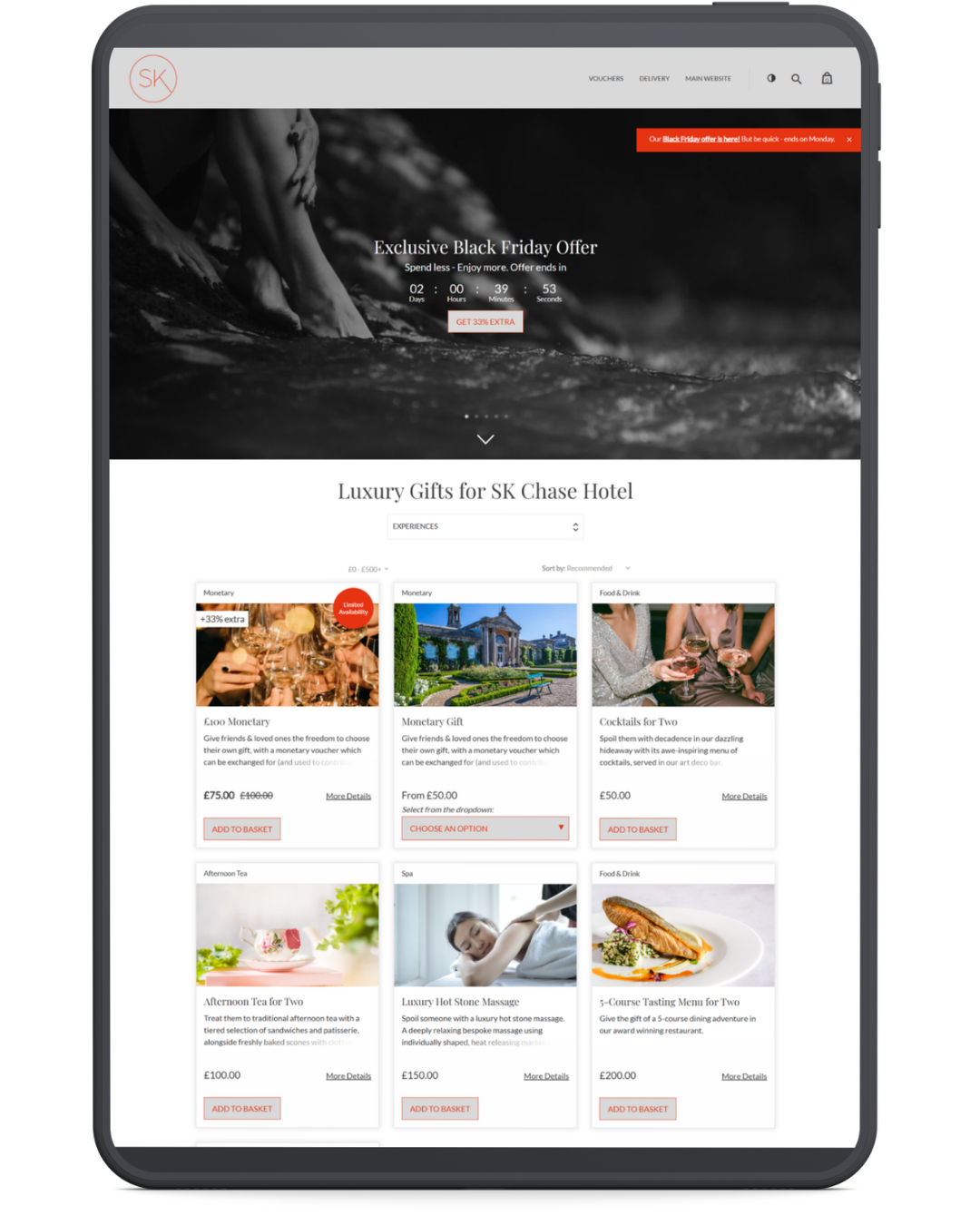
Broadcast messge
Make your offer unmissable with this prominent message
Reorder gifts
Edit the order of your gifts, so your offers appear first on the gift listing page
Add a macaron
Add a ‘Limited Availaibilty’ sticker to a gift card, creating urgency
Best practices, tips and how to guides
Image carousels
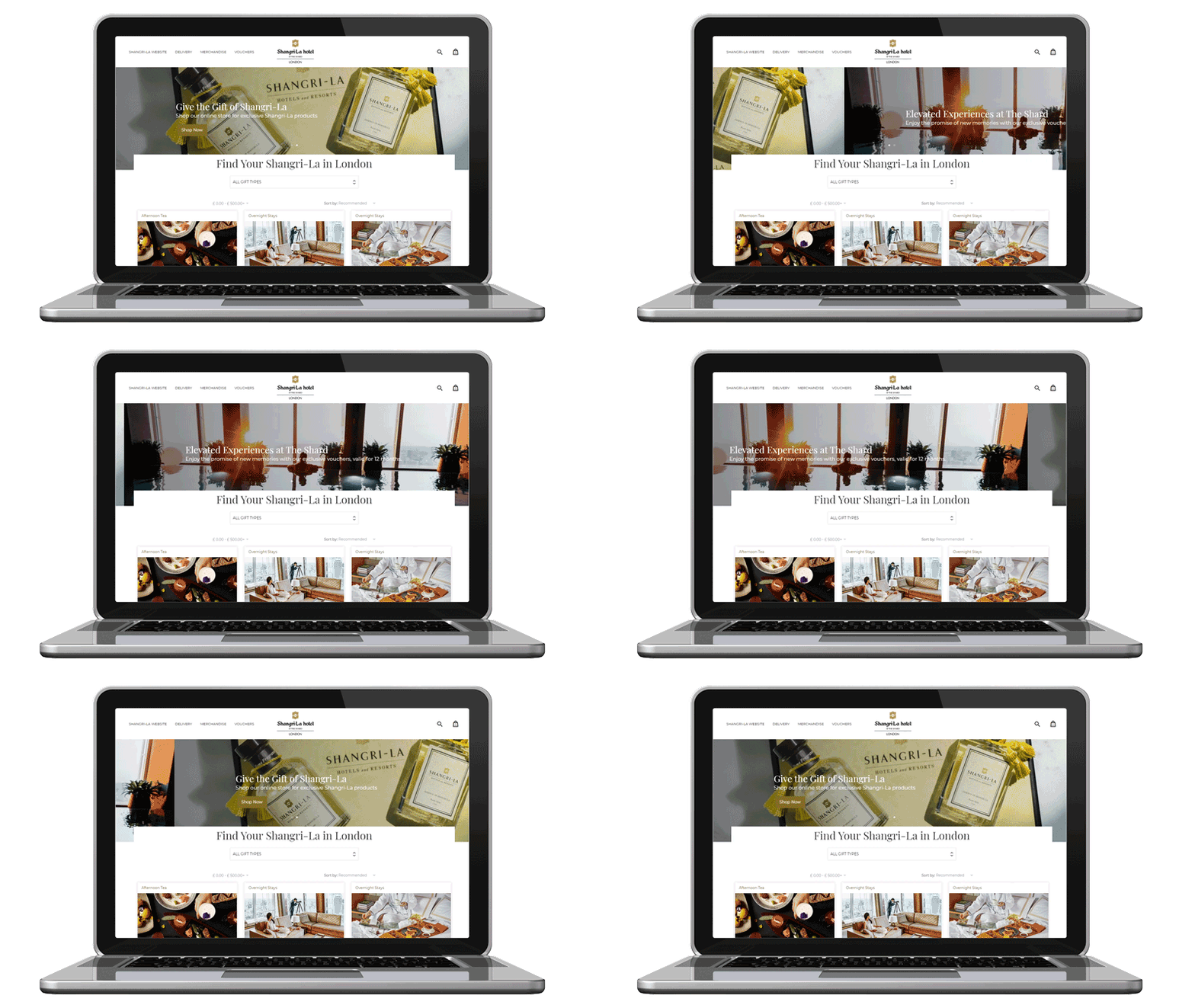
Countdown feature in image carousel
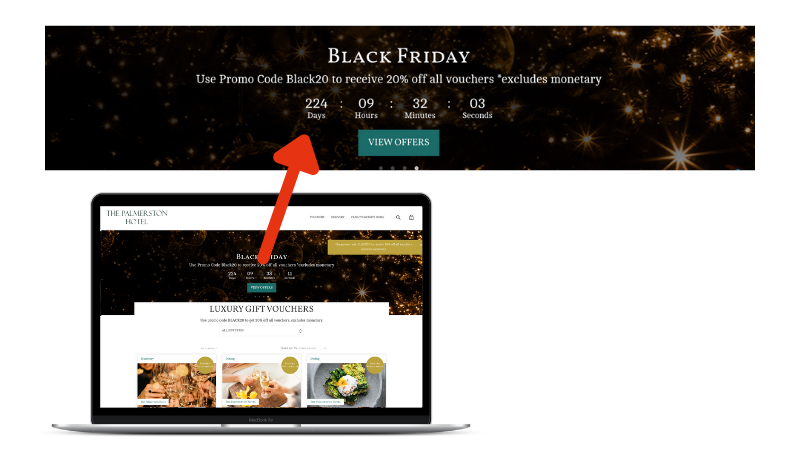
Use the timer to promote an offer before it is available to encourage buyers to come back when the offer starts.
Or, create some urgency by showing when the offer ends encouraging people to ‘buy now’ and not leave it too late.
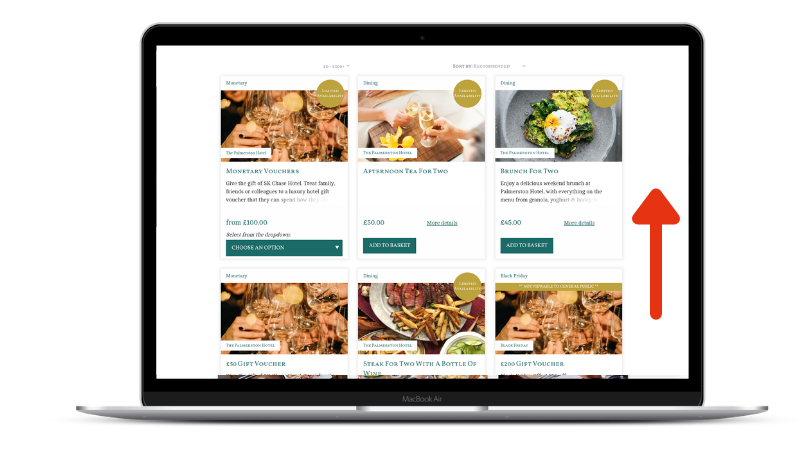
Move selected vouchers to the top of the page
Feature your Black Friday gifts at the top of your listing page to maximise visibility.
You can also use this tool for price anchoring – positioning a ‘special offer’ beside a similar higher-priced option to enhance its buying appeal.
Menu filter
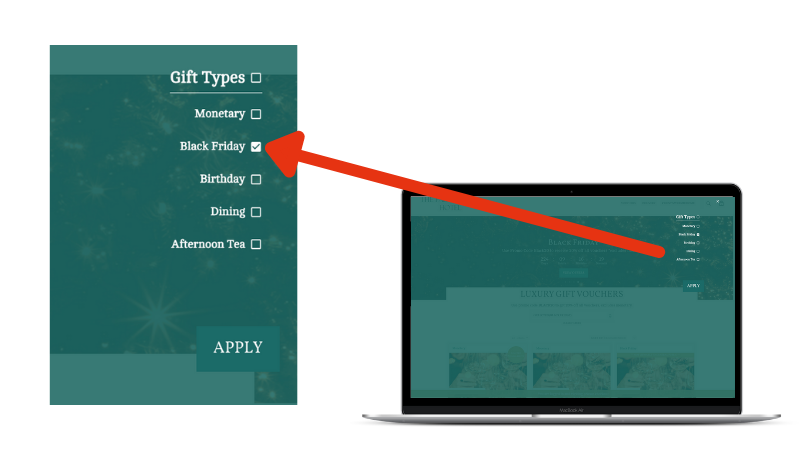
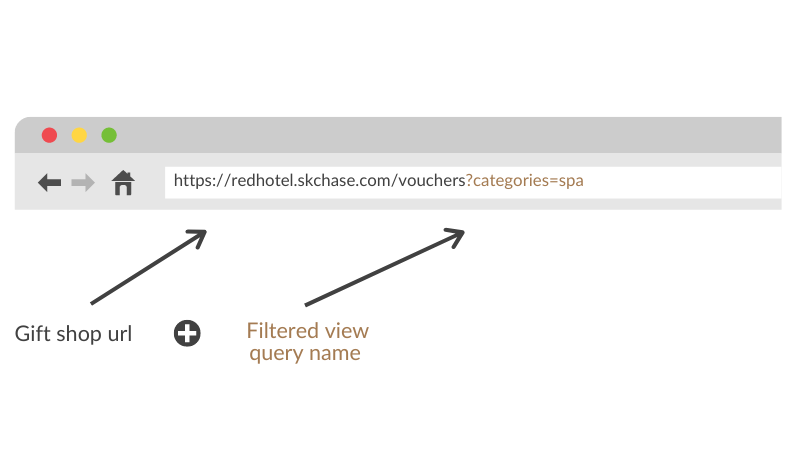
Filters allows you to regroup a selection of vouchers and create ‘filtered views’ on your gift shop that you can share as a landing page with your buyers.
Black Friday tip: If your promo code is only valid on a selection of gifts, we highly recommend adding all these gifts into a ‘Black Friday‘ filter.
Listing heading & sub heading
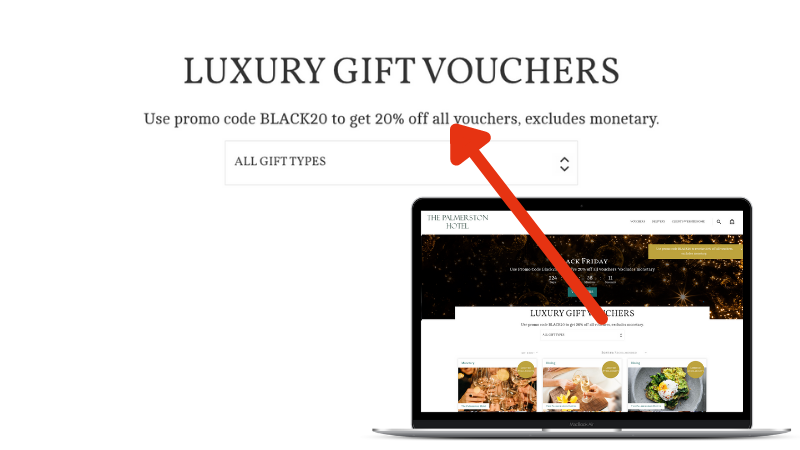
There is an option to add a heading and a description that can be used as special listing message, above the menu filter.
You can also add a link to your listing message.
Add a ‘Limited Availability’ macaron
Create urgency and exclusivity by limiting the number of selected gifts available for purchase. A visual macaron (sticker) appears on both the listing and description pages, signalling scarcity and driving quicker decisions.
Bulk edit vouchers
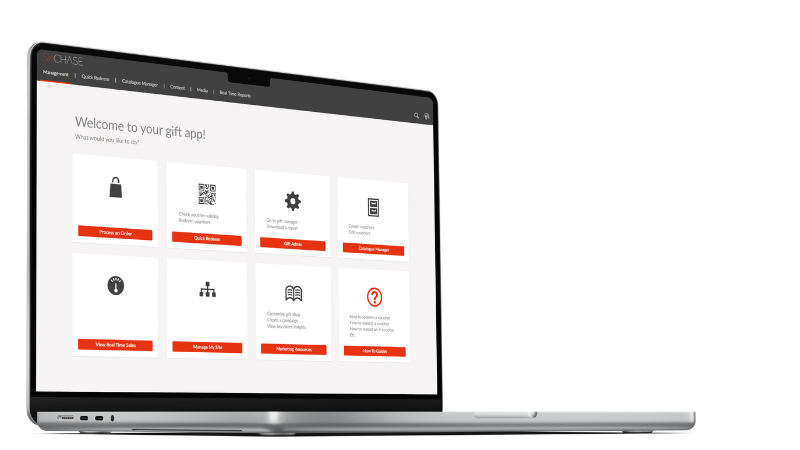
Black Friday is all about timing. Instead of updating vouchers one by one, use the ‘Quick Edit tool’ in the Gift App to make bulk changes in seconds.
Update voucher validity, adjust prices, copy vouchers, or schedule the activation and deactivation of multiple vouchers at once. It’s a simple way to save time, reduce errors, and get your Black Friday gift campaign ready faster.
Broadcast message
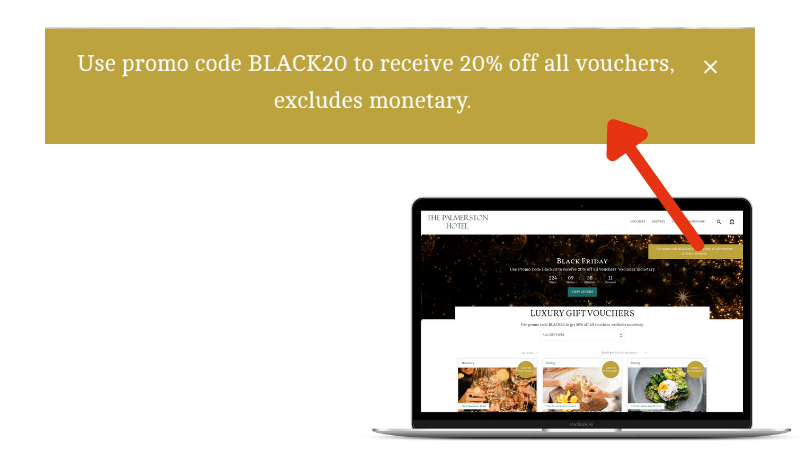
This is a box that appears in the top right hand corner of the gift voucher page and is a great feature to use to direct visitors to a filtered view of your gifts.
The box stays with your customers as they navigate the page, ensuring maximum visibility and engagement.
Filtered gift selection & link
When creating promo codes or vouchers, make sure buyers are directed to the correct page to buy with ease.
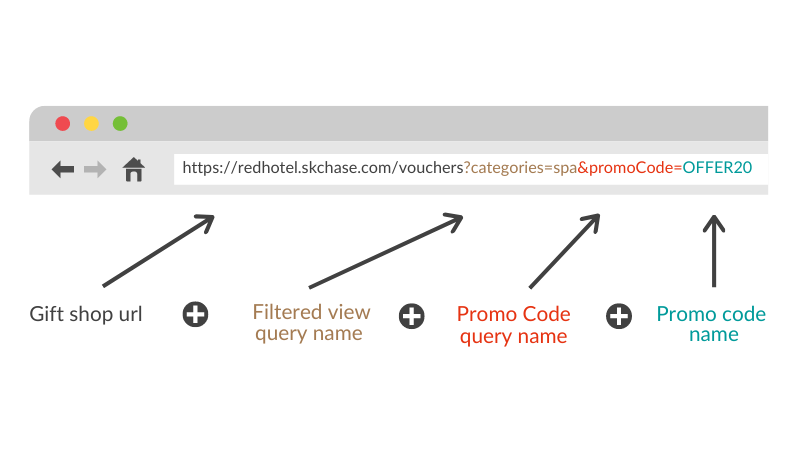
Rather than linking to your homepage, send customers directly to the vouchers included in the promotion. For example, link to your Spa Experiences filter if a promo code is only valid on spa vouchers, or to a dedicated Black Friday filter if the offer applies to selected Black Friday vouchers.
A focused buying journey makes it easier for customers to find eligible gifts, helping increase conversion rates.
Pre-populated promo code URLs: If you’ve created a promo code, share a promo code link with buyers. The code is automatically applied to eligable gifts, so customers don’t need to enter it manually. This creates a smoother buying experience and can help increase sales.
How to guides
Find everything you need to set up your offer and make changes to your gift site with our how to guides.
Need help?
We’re here to help if you have any questions or if you need a hand with your set-up.
Training webinars
Short, practical webinars to help you get the most from this Black Friday.